What Is Image SEO?
Image search engine optimisation (SEO) is the process of optimising images so search engines can understand, index, and surface them effectively across search experiences, including Google Images and visual search. (Source: Google Search Central)
This isn’t only “making files smaller.” It’s aligning technical delivery and image meaning so each visual supports the page it lives on. (Source: Google Search Central)
The two sides of image SEO
Technical performance
- File size and compression
- Format choice (e.g., WebP vs PNG)
- Loading behaviour (lazy loading, priority)
- Responsive delivery (right size for the right screen)
Context and meaning
- File names
- Alt text (alternative text)
- Captions and surrounding content
- Structured data (Schema.org markup, when relevant)
Search engines don’t “see” images like humans, but they can use computer vision plus surrounding signals (alt text, captions, nearby text, and structured data) to understand what an image represents. (Sources: Google Search Central; Google Lens)
Why Is Image SEO Important for Malaysian Businesses?
Image SEO affects outcomes that are directly tied to revenue:
- Visibility (your images and pages are easier to surface)
- Performance (your site feels faster, especially on mobile)
- Usability (people understand content faster and trust it more)
This matters more in a mobile-first environment like Malaysia, where performance and data efficiency are part of the real user experience. (Sources: Google Search Central; web.dev; Department of Statistics Malaysia (DOSM))
Increased Organic Visibility
Images can rank independently in Google Images, creating an additional traffic channel many businesses overlook. Beyond that, images also support the main page. When a visual is properly described and placed near relevant text, it reinforces topical clarity. (Source: Google Search Central)
Better User Experience
Users process visuals quickly. When images are clear, relevant, and load fast, they can improve engagement and comprehension, especially on mobile. (Source: web.dev)
Performance and Speed Impact
Images are often among the heaviest page elements. If they’re not optimised, they can delay the moment users see the most important part of the page.
This is where Core Web Vitals (CWV) (Google’s page experience metrics) comes in, especially Largest Contentful Paint (LCP) (how quickly the main content appears). Properly sized and compressed images can improve LCP by reducing the load burden of large visuals. (Sources: Google Search Central; web.dev; MDN (Mozilla Developer Network))
Accessibility Benefits
Alt text helps screen readers describe images for visually impaired users. It also provides descriptive context that helps search engines understand images, especially when the image carries meaning (not just decoration). (Source: Google Search Central)
Core Fundamentals of Image SEO
If you implement nothing else, implement these. They’re simple, repeatable, and scale across hundreds of images.
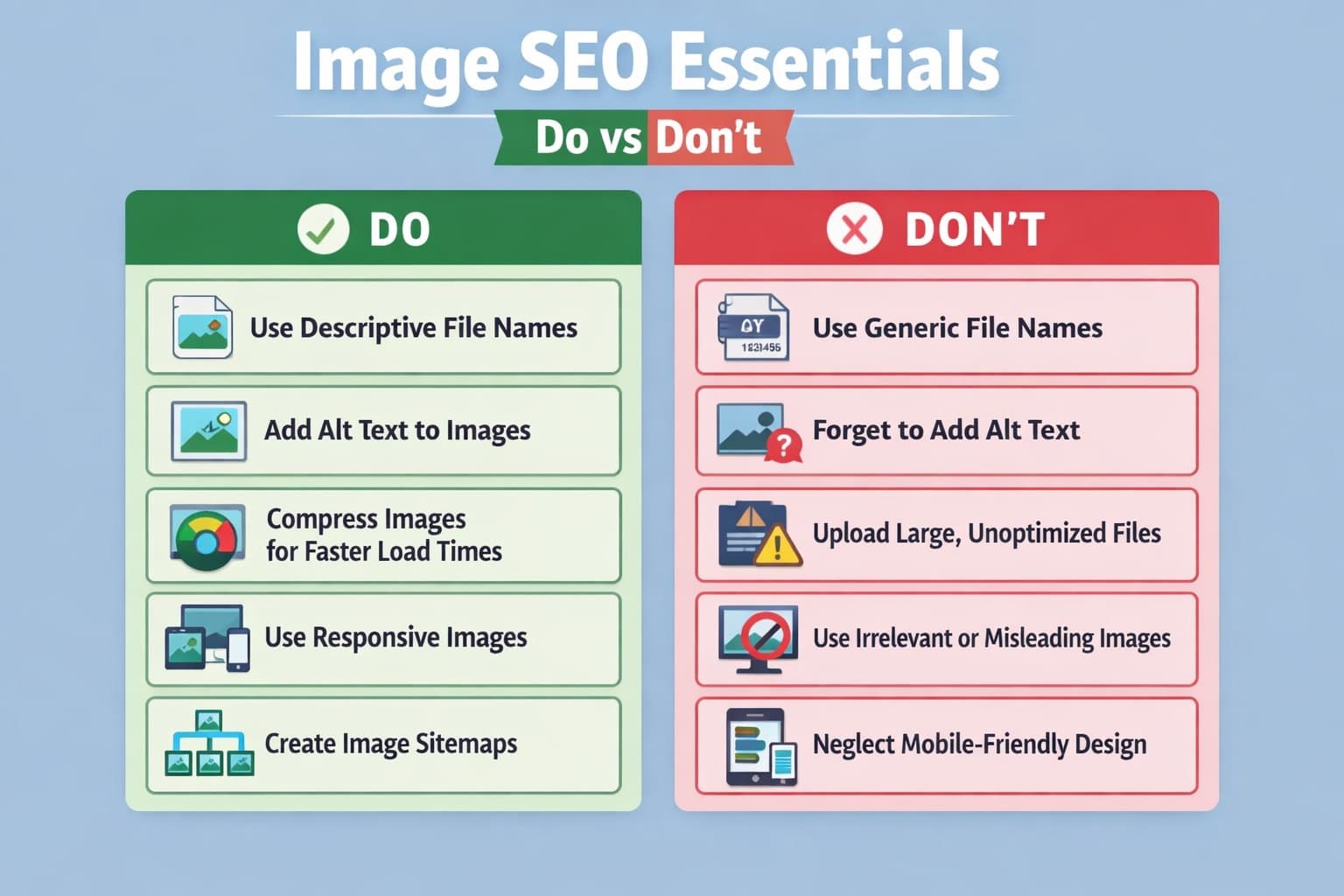
1) Use Descriptive File Names
File names are a useful clue search engines can use alongside page text and captions. This is especially helpful when the image is new, not widely referenced elsewhere, or sits in a page with many similar visuals. (Source: Google Search Central)
Instead of:
- jpg
Use:
- kuala-lumpur-office-interior-design.jpg
- malaysia-ecommerce-product-photography-setup.jpg
Naming tips
- Use hyphens, not underscores
- Keep it descriptive, not spammy
- Don’t force keywords that aren’t true
2) Optimise Alt Text Properly
Alt text (alternative text) should describe the image in a natural, helpful way.
A simple formula:
- What is it?
- What’s the context?
- What makes it specific?
Example:
- “Modern office workspace in Kuala Lumpur with glass partitions and open-plan desks”
Avoid:
- Keyword stuffing
- Vague labels
- Duplicating the same alt text across many images
Alt text is an important signal for relevance and accessibility, especially when it accurately describes what’s in the image. (Source: Google Search Central)
When not to write alt text
If the image is purely decorative and adds no meaning, consider empty alt (alt=””) so screen readers skip it.
3) Choose the Right Image Format
Different formats exist for a reason:
- JPEG: photos (good balance of quality and size)
- PNG: transparency / crisp graphics (often larger)
- WebP: modern format that often delivers smaller files at similar quality
- SVG: logos/icons (scales perfectly, tiny files)
Choosing the right format reduces file weight without losing clarity. (Source: Google Search Central)
4) Compress and Resize Images
A common mistake is uploading a huge image and letting the browser “shrink” it visually. That still forces users to download the full heavy file.
Best practice:
- Resize images to match the maximum display size
- Compress for the best quality-to-weight balance
- Keep hero images and featured visuals especially tight (they often affect LCP)
This reduces load time without noticeably harming visual quality when done properly. (Sources: web.dev; MDN (Mozilla Developer Network))
5) Place Images Near Relevant Content
Search engines rely heavily on context.
An image placed next to relevant text is easier to interpret than one placed randomly far away. Captions and surrounding paragraphs reinforce meaning and can help the image and page be understood more accurately. (Source: Google Search Central)
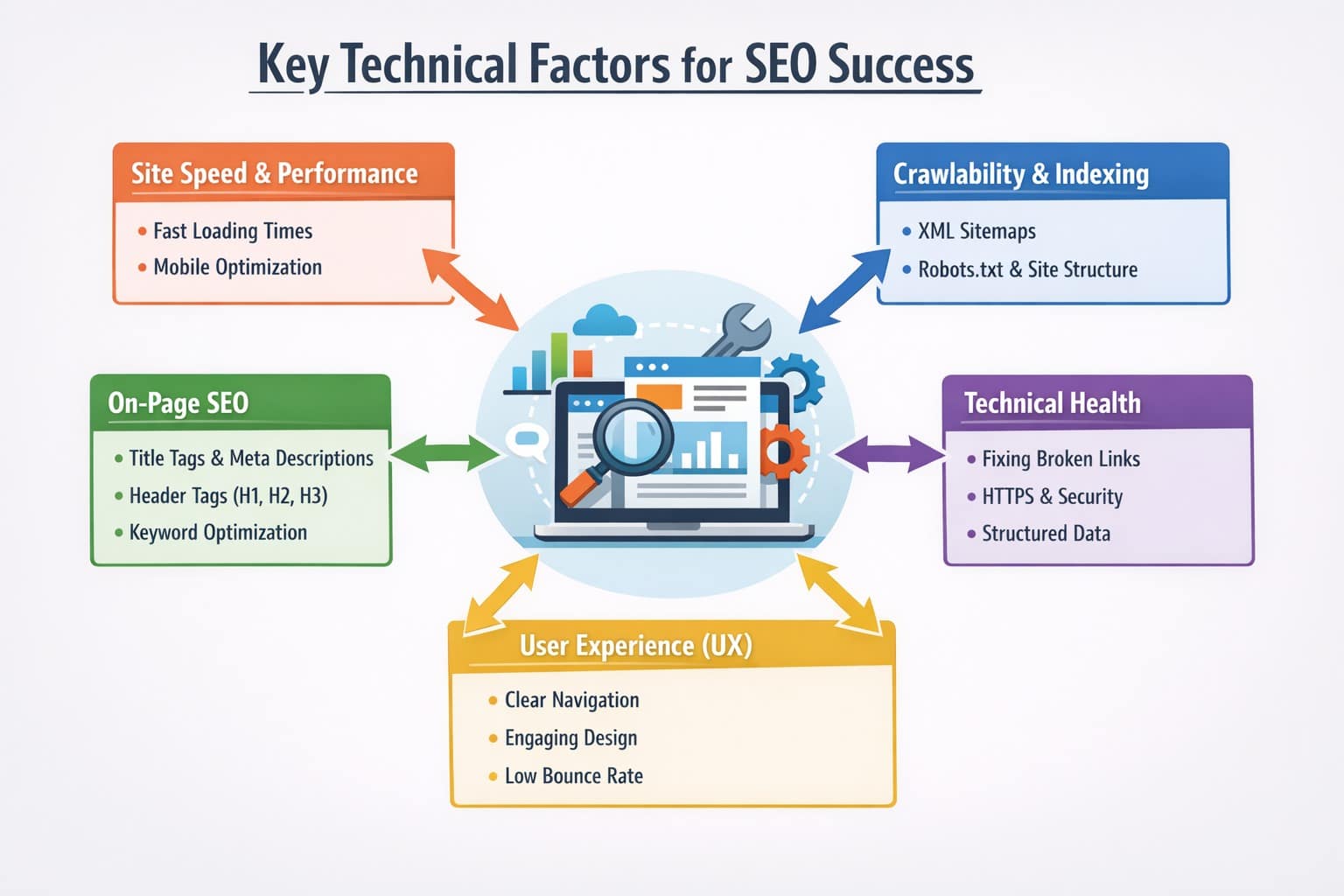
Technical Factors That Affect Image SEO
Technical SEO optimisation and audits decide whether your images are delivered efficiently and remain discoverable.
Lazy Loading (And Why It’s Not “Lazy”)
Lazy loading means images load only when they’re near the user’s viewport (screen). That reduces initial load and saves data. (Source: Google Search Central)
Implement lazy loading in a crawler-friendly way:
- Keep images in the HyperText Markup Language (HTML) where possible
- Avoid patterns where images only appear after complex scripts
- Don’t lazy-load critical above-the-fold images if it hurts LCP
(Source: Google Search Central)
Responsive Images
Responsive images serve different sizes based on device width and pixel density. This prevents mobile users from downloading desktop-sized assets while keeping desktop sharp. (Source: Google Search Central)
Image Sitemaps
Image sitemaps help search engines discover images that might be missed through normal crawling, especially if images are loaded dynamically or your site has a large library (ecommerce, listings, portfolios). (Source: Google Search Central)
Structured Data (Schema)
Structured data (Schema.org markup) adds explicit meaning and helps connect images to entities like products or articles. This can support richer display and clearer interpretation when implemented correctly. (Source: Google Search Central)
Content Delivery Networks (CDNs)
Content delivery networks (CDNs) cache images across distributed servers so users load assets from a closer location. That can reduce latency and improve perceived speed on image-heavy pages. (Source: web.dev)
How Does Malaysian Mobile Usage Affect Image SEO?
Malaysia’s mobile-first usage makes image optimisation more sensitive to real-world conditions like data limits, congestion, and inconsistent speeds. (Sources: Department of Statistics Malaysia (DOSM); Khazanah Research Institute (KRI))
DOSM reports 99.5% mobile phone usage among individuals in 2024, reinforcing why mobile performance matters. (Source: Department of Statistics Malaysia (DOSM))
Practical takeaway
Prioritise efficient images over “perfect” resolution, especially for:
- Home banners
- Category pages
- Product galleries
Image SEO vs Image-Based Advertising: What’s the Difference?
Image SEO focuses on long-term discoverability, while image-based advertising focuses on immediate attention and action.
A strong strategy usually combines both:
- Ads accelerate reach when you need results now
- SEO compounds over time and keeps working after campaigns end
How Do Images Support Multimodal AI Search and AEO?
In multimodal search experiences, images can contribute to how AI systems interpret content, when paired with clear text context and structured data. (Sources: Google AI Mode; Google Lens; Google Search Central)
This connects naturally to answer engine optimisation (AEO) instead of just regular SEO: making content easier for AI-driven systems to understand and reuse accurately.
AI systems typically combine:
- What the image depicts (computer vision)
- Nearby text and captions
- Structured data signals
- Overall page topic
When those align, your content is easier to interpret and less likely to be misrepresented. (Sources: Google AI Mode; Google Search Central)
Practical upgrades (what to do differently)
1) Add captions when meaning isn’t obvious: Captions clarify the purpose of the image and reduce ambiguity. (Source: Google Search Central)
2) Keep entity language consistent: If the page targets “Kuala Lumpur office interior design,” keep headings and nearby text aligned instead of drifting into unrelated wording. (Source: Google Search Central)
3) Use structured data where it fits: Product markup for product images, article markup for editorial content, and accurate attributes. (Source: Google Search Central)
4) Prefer indexable images for meaningful visuals: If a visual matters (product shot, diagram, infographic), don’t bury it purely as a decorative background. (Source: Google Search Central)
What Types of Images Perform Best for SEO?
In general, images that add information tend to outperform images that only decorate.
High-performing types
- Infographics and diagrams
- Comparison visuals
- Step-by-step process images
- Original product photos
- Before-and-after visuals (when truthful and relevant)
What to avoid
- Generic stock photos with no context
- Decorative images that don’t support page intent
- Repeated images across many pages with duplicated alt text
A Practical Image SEO Workflow for Businesses
A workflow keeps optimisation consistent, which is helpful if multiple people upload content.
- Prepare the file: resize to display size, compress, choose format
- Optimise meaning: filename + alt text (add caption if needed)
- Publish correctly: place near relevant text, responsive images, crawl-safe lazy loading
- Enhance discovery: structured data when relevant; image sitemap for large libraries
- Spot-check: test key pages on mobile, especially hero image LCP
Common Image SEO Mistakes to Avoid
Even small issues can compound across a site:
- Oversized uploads and “we’ll shrink it in CSS”
- Keyword-stuffed, vague, or duplicated alt text
- Generic filenames across many pages
- Hiding meaningful visuals as backgrounds without context
- No mobile testing on image-heavy pages
- Inconsistent standards (some pages optimised, others neglected)
Turning Images Into Long-Term SEO Assets
Image SEO is not just about smaller files. It’s about making visuals contribute to performance, discoverability, accessibility, and clarity.
When done properly, images become long-term assets that keep supporting search visibility and engagement well beyond their initial upload. (Sources: Google Search Central; web.dev)
At Rankpage, Malaysia’s most reliable SEO agency, we help businesses build SEO systems that integrate technical optimisation with content strategy. If you want to improve visibility through smarter SEO, our team can support your growth. Contact Rankpage today to learn more!