What Local SEO Schema Does
Schema is best seen as an “entity translator.” It turns human-readable business info into machine-readable signals Google can compare against your GBP and other sources.
When your structured data is consistent, you reduce ambiguity around:
- Who your business is (Entity identity)
- Where it is (Location precision)
- What it offers (Service clarity)
- Where it operates (Service footprint)
That matters more now that search results increasingly depend on extraction and summarisation, not just blue links.
How Structured Data Helps Google Understand Local Businesses
Google tries to build a clean mental model of your business. Schema helps in two ways:
First, it defines your business as a single entity with a stable type (for example, Dentist instead of generic LocalBusiness). Second, it makes relationships explicit: your address belongs to this entity, these social profiles belong to this entity, and these areas are legitimately served by this entity.
When those relationships are unclear, Google falls back to weaker signals like proximity and inconsistent on-page hints.
Read More: Local SEO For Malaysian Beginners: A Step By Step Guide
The Schemas Used To Improve Local SEO Visibility
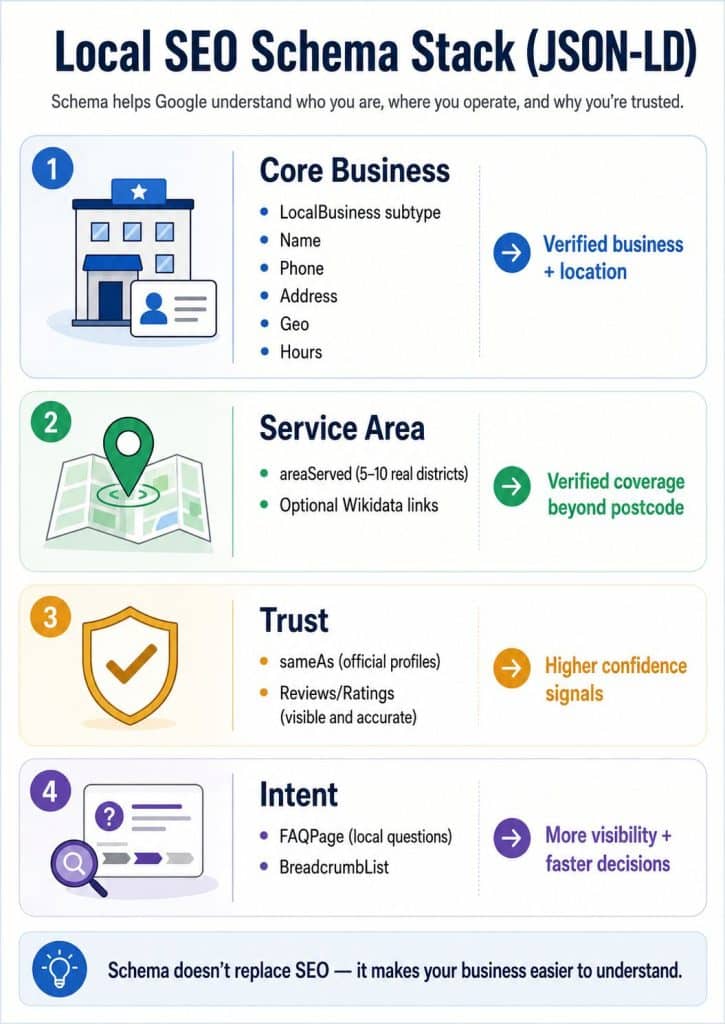
Instead of listing fifteen schema types, focus on the ones that move the needle for most local businesses. This is the practical stack.
Core (Most businesses should start here)
LocalBusiness (With the best-fit subtype), PostalAddress, GeoCoordinates, and OpeningHoursSpecification.
High-impact (Add when it reflects reality)
areaServed (For service-area or hybrid businesses), sameAs (For official profiles), and BreadcrumbList (For cleaner site structure).
Optional (Use carefully)
FAQPage (Only where FAQs appear on-page) and Review/AggregateRating (Only when ratings are visible and accurate).
Why LocalBusiness Subtyping Matters
Using a specific subtype is a relevance shortcut for Google. A generic LocalBusiness forces Google to infer your category from other signals. A subtype makes your entity classification cleaner and faster.
Examples of strong subtypes include Dentist, Florist, AccountingService, MedicalClinic, and RealEstateAgent.
If a subtype accurately describes you, use it. If it doesn’t, don’t force it. Wrong schema is worse than missing schema.
areaServed And The Proximity Problem
Many businesses serve customers beyond their physical address. Google, however, often defaults to: “Business in one postcode.” That’s why you see brands ranking strongest near their registered location, then fading out quickly as distance increases.
areaServed helps you describe your operational footprint. It’s especially useful for service-area businesses, delivery businesses, and hybrids (storefront + service radius).
The best practice is simple: define your real coverage, not your dream coverage. Pick the top 5–10 districts that actually drive revenue, then support them with relevant pages and internal links. Don’t spray a long list of locations and hope Google “just gets it.”
areaServed Schema Example
Wikidata And Entity IDs (Optional, But Powerful)
Some names are ambiguous. Linking a place to an entity ID (like Wikidata) reduces confusion and adds precision.
A practical use case is in your areaServed definitions, especially when a place name can refer to multiple regions globally. This is not mandatory for most sites, but it can improve clarity in location-heavy setups.
Use it only when you’re confident the entity ID matches the location you mean.
FAQPage Schema: Visibility And Conversions
Local search is full of pre-contact questions. People want quick answers on availability, coverage, timing, and logistics.
FAQPage schema helps search engines and assistants reuse your answers more reliably, and it can make your result more prominent when FAQs are surfaced.
Instead of creating a massive FAQ block, keep it tight and specific. A few high-intent questions beat a wall of generic ones.
Here are examples that usually work well for local businesses:
- Which areas do you serve?
- Do you offer same-day service?
- Are you open on weekends or public holidays?
- How do I book an appointment or request a quote?
How To Implement Local SEO Schema (JSON-LD): A Practical Guide
Step 0: Align Your NAP With GBP
Before writing schema, standardise your Name, Address, Phone, and Hours so they match your Google Business Profile exactly. Consistency here is one of the most overlooked wins in local SEO.
Step 1: Add Core LocalBusiness JSON-LD
Your core entity markup should live on your homepage (and on each location page if you’re multi-location). Keep it clean and avoid conflicting duplicates.
Include the basics: business type/subtype, name, URL, phone, address, geo coordinates, and opening hours.
Step 2: Add areaServed (Only If You Actually Serve Those Areas)
Choose your top districts, represent them consistently, and connect them to supporting pages. If you list an area in schema but have zero supporting content or proof, it’s weak.
Step 3: Add sameAs + Trust Signals
sameAs should connect official profiles only. Don’t add random directories you don’t control.
If you use Review or AggregateRating, make sure the reviews and rating values are visible on the page and match exactly. Mismatched review markup is a common way to lose trust.
Step 4: Add Intent Layers (FAQ + Breadcrumbs)
FAQPage should only appear on pages where the FAQ content is visible. BreadcrumbList is usually safe and helps clarify site structure.
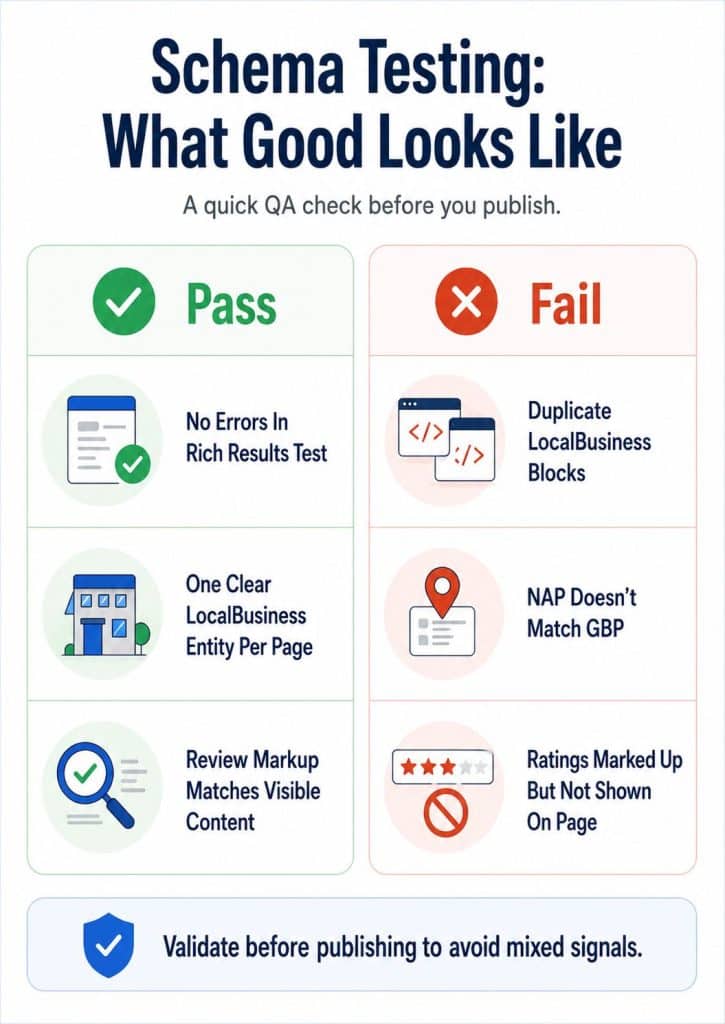
Step 5: Test And QA
Use Google’s Rich Results Test for detection and errors, and a schema validator for syntax and structure. Then monitor changes via Search Console where relevant.
Minimum Viable Schema Checklist
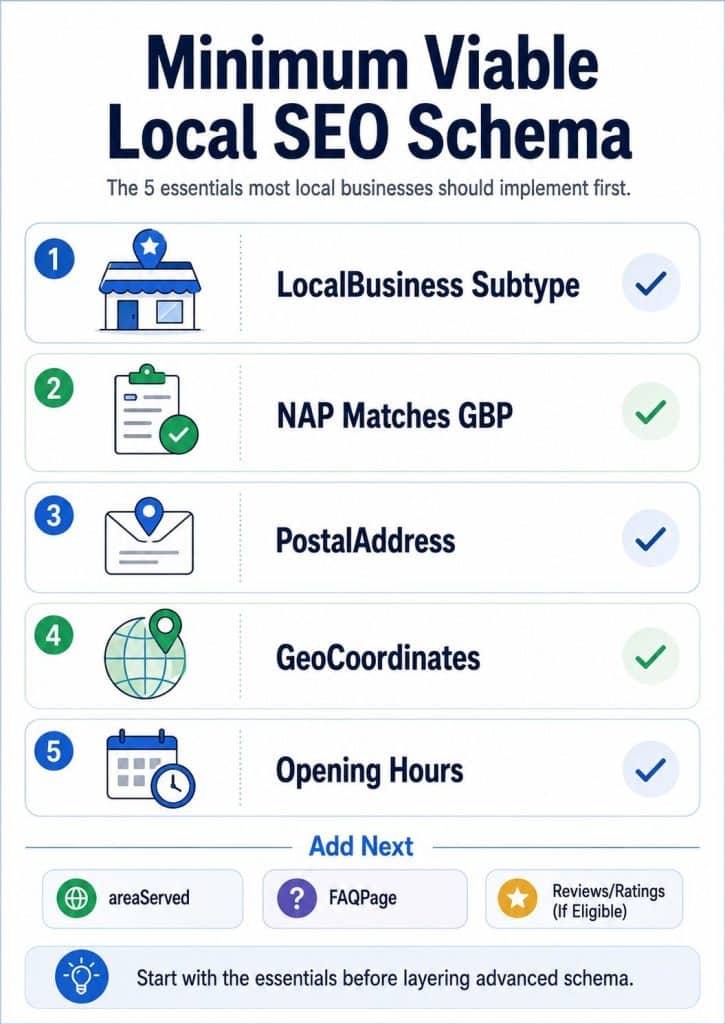
If you want the shortest path to “good schema,” implement:
- Correct LocalBusiness subtype
- Consistent NAP matching GBP
- PostalAddress, GeoCoordinates, and OpeningHoursSpecification
- sameAs linking official profiles
Then add advanced layers (only when appropriate): areaServed, FAQPage, and visible review markup.
Implementation Roadmap
- Align NAP with GBP (Name, address, phone, hours)
- Implement core LocalBusiness JSON-LD (Subtype + address + geo + hours)
- Add areaServed (Top districts only, supported by pages)
- Add sameAs and reviews carefully (Official, visible, accurate)
- Add FAQPage and BreadcrumbList, then test
Which Page Gets Which Schema (Table)
Page Type | Recommended Schema | Why It Matters |
Homepage | LocalBusiness (Subtype), PostalAddress, GeoCoordinates, OpeningHoursSpecification, sameAs | Defines your primary entity clearly |
Location page (Multi-location) | LocalBusiness for that location + address/geo/hours | Prevents branch confusion and mixed signals |
Service page | BreadcrumbList (+ optional Service schema) | Clarifies offering and context |
Area page (District/neighbourhood) | BreadcrumbList (+ optional FAQPage) | Supports area relevance and areaServed credibility |
FAQ page | FAQPage | Powers question/answer extraction |
Reviews page | Review/AggregateRating (Only if visible/accurate) | Adds trust signals safely |
Common Local Schema Mistakes (And Fixes)
Common mistakes are usually not “missing schema,” but messy implementation:
- Using a generic LocalBusiness type when a subtype fits
- Listing too many areas in areaServed without support
- Mismatching NAP between schema and GBP
- Marking up ratings that are not visible or accurate
- Publishing duplicate LocalBusiness entities on one page
- Breaking JSON-LD with small syntax errors
Fixing these is often faster than publishing new content.
Local SEO Is Entity Optimisation
Modern local SEO isn’t about repeating location keywords. It’s about making your business verifiable, consistent, and easy for Google to understand.
Start with the core LocalBusiness schema, align your NAP with GBP, and add layers only when they reflect reality. In modern search, the clearest business tends to win. If your business needs help handling local SEO and gaining visibility on Google, Rankpage is here for you. With our proprietary SERP Dominating Technology, we make sure your business has one coherent framework that search engines can confidently recommend. Don’t miss out on this chance; contact Malaysia’s top SEO agency Rankpage today!