The goal of Google Business Profile optimisation is simple: make your profile accurate, helpful, and easy for customers to act on.
Google Business Profile is a free tool that helps eligible businesses manage how they appear on Google Search and Google Maps.
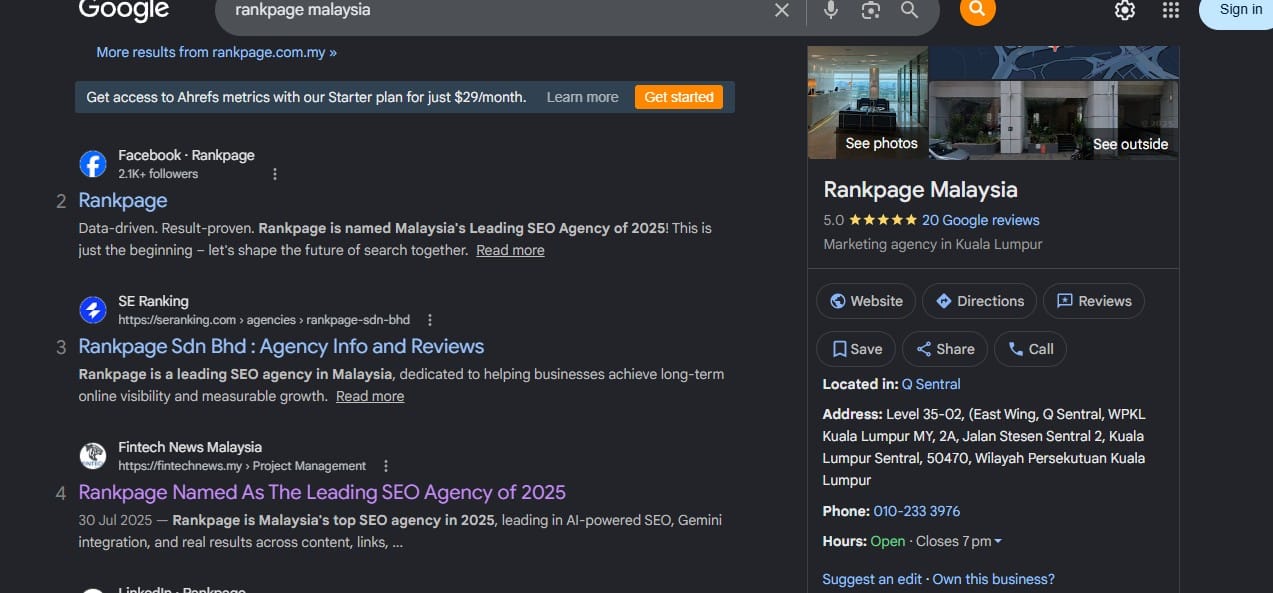
For Malaysian SMEs, it is often one of the first places customers check before calling, visiting, booking, or asking for a quotation. A complete profile can show your business name, address, phone number, website, opening hours, reviews, photos, services, products, updates, and contact links.
For businesses that depend on nearby customers, Google Business Profile is often one part of a broader local SEO approach that keeps your business information clear, consistent, and easy to find.
Steps to Optimise Your Google Business Profile
Claim and Verify Your Business
Before improving your profile, make sure it is claimed and verified.
Check whether your business already has a profile, who owns or manages it, whether old employees or agencies still have access, and whether any verification steps are pending.
Avoid sharing one login across the team. If multiple people need access, add them as owners or managers with the right permission level.
Complete Your Core Business Information
Your basic business information should be accurate, complete, and easy to understand.
Review your business name, address or service area, phone number, website, business hours, holiday hours, categories, services, products, attributes, and booking or appointment links.
Use your real business name as it appears on your signage, website, stationery, and official materials. Avoid adding extra keywords, locations, or services unless they are part of your actual name.
For example, avoid changing:
ABC Dental Clinic
Into:
ABC Dental Clinic Best Dentist in Kuala Lumpur Teeth Whitening Braces
Choose the Right Categories
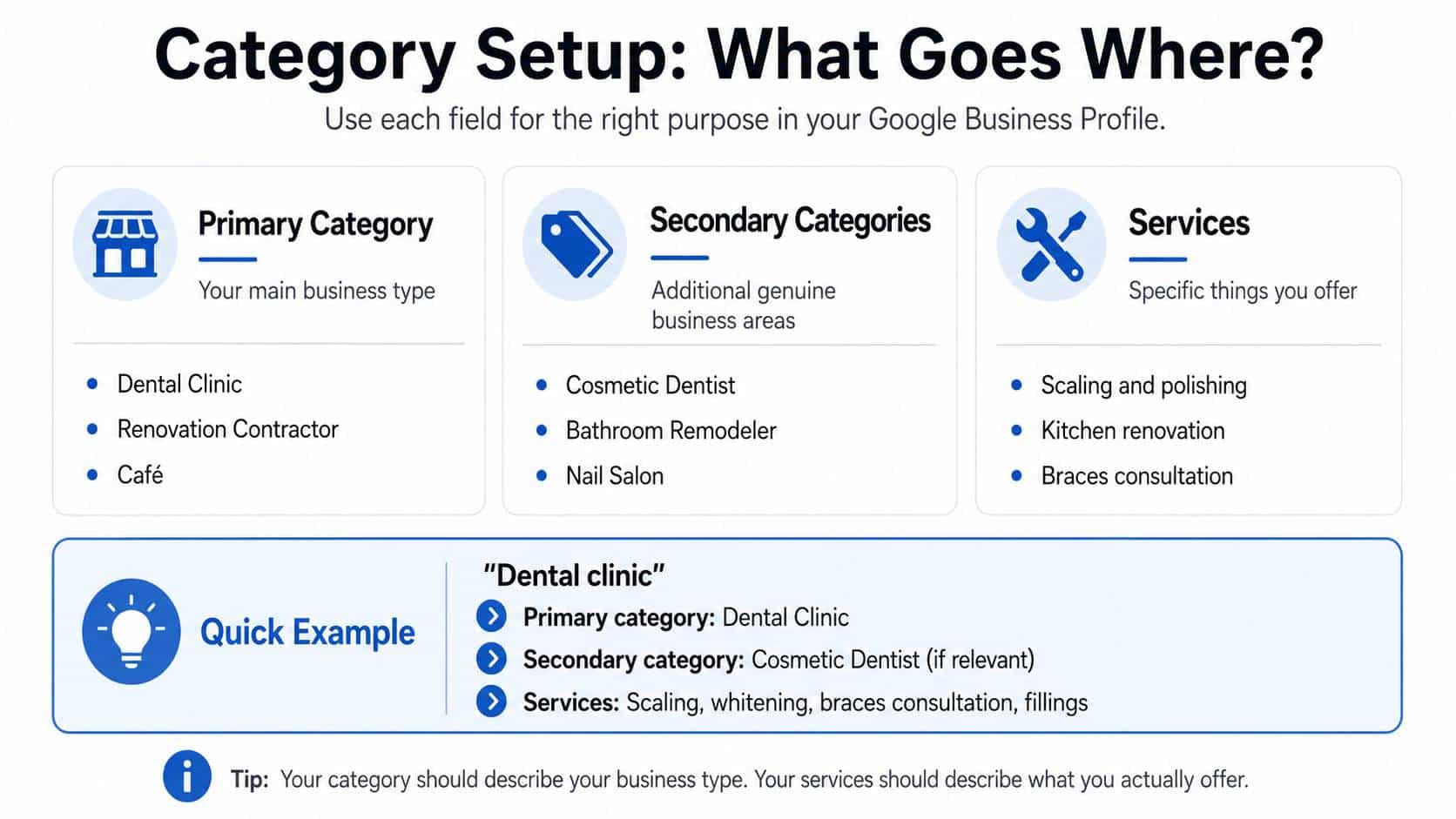
Your primary category should describe your main business as accurately as possible.
Too Broad | Better |
Marketing | Marketing Agency |
Doctor | Family Medicine Clinic |
Food | Café |
Contractor | Renovation Contractor |
Beauty | Beauty Salon |
Education | Tuition Centre |
Your primary category should describe your business type, not every service you offer. Services such as scaling, whitening, tiling, or consultation can be listed separately under services.
Secondary categories can be added when they genuinely apply. Avoid adding unrelated categories just because they seem popular.
Write a Clear Business Description
Your business description should quickly explain what you do, who you serve, and where you operate.
A simple formula is:
We help [target customers] with [main services] in [location or service area].
Example:
We provide family healthcare services in Petaling Jaya, including general consultations, health screenings, vaccinations, and follow-up care for adults and children.
Keep the description natural. Avoid keyword stuffing or turning it into a long list of services.
Add Services Clearly
The services section helps customers understand what you offer before they contact you.
For a dental clinic, services may include:
- Dental check-up
- Scaling and polishing
- Teeth whitening
- Braces consultation
- Dental fillings
For a renovation contractor, services may include:
- Kitchen renovation
- Bathroom renovation
- Office renovation
- Tiling works
- Plumbing works
- Built-in cabinet installation
Where useful, add short descriptions, prices, or price ranges. If pricing depends on scope, say that quotations are available after consultation.
Do not add services that you do not actually provide.
Add Products Where Relevant
The products section is useful if your business sells physical items, packages, treatments, menu items, bundles, or standard service offers.
Each product should include a clear name, short description, price or price range if applicable, relevant photo, and contact or booking link where useful.
Example:
“Hydrating Facial Treatment
A moisturising facial treatment for dry or tired skin. Suitable for first-time customers and regular monthly care.”
Review this section regularly. Remove expired offers, discontinued items, outdated photos, or inaccurate prices.
Upload Real, Useful Photos and Videos
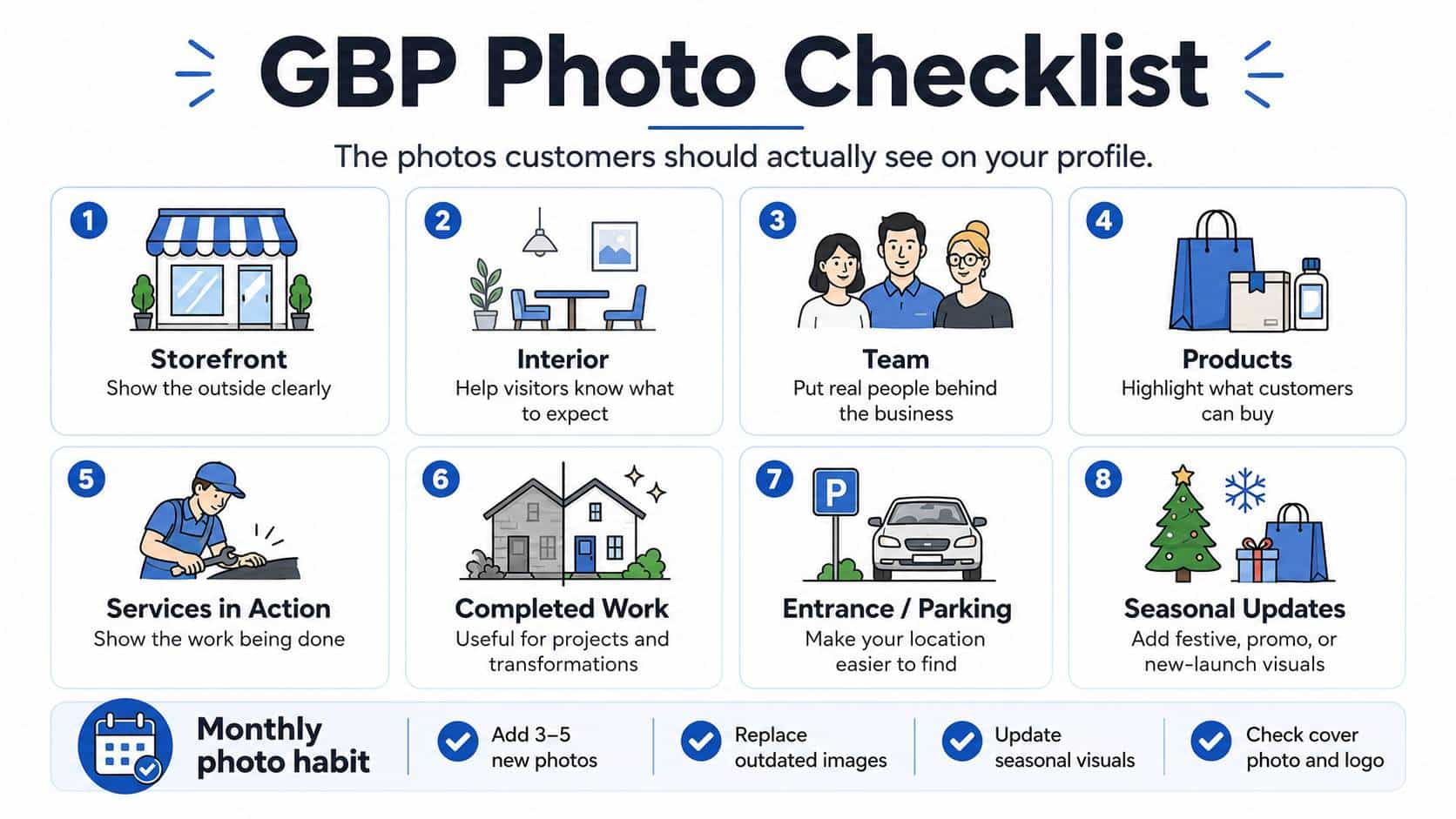
Photos help customers understand what to expect before they visit, book, or contact your business.
Useful photos include storefront, interior, team, product, menu, service, completed work, equipment, parking, entrance, or landmark photos.
Use real photos instead of generic stock images. Customers want to see the actual place, people, products, or work they can expect.
A simple monthly photo plan:
- Add 3–5 new photos
- Replace outdated images
- Add new product or service photos
- Upload seasonal or festive updates
- Check that your cover photo and logo still look current
Use Google Posts for Updates, Offers, and Events
Google Posts let you publish updates directly on your Business Profile.
Use posts for promotions, events, new services, new products, holiday hours, business announcements, seasonal offers, menu updates, or limited-time packages.
Keep posts short, specific, and easy to act on.
Example:
Our Ramadan set menu is now available for dine-in and takeaway. Call us to reserve your table or view the menu online.
Use a clear call to action, such as call now, book online, learn more, view menu, send enquiry, get quotation, or visit us.
Manage and Respond to Reviews
Reviews help customers understand real experiences with your business. They also show whether your business is active and responsive.
Build a simple review process:
- Ask after a successful purchase, visit, job, or appointment
- Share your Google review link by WhatsApp, email, receipt, or follow-up message
- Train staff to ask politely and naturally
- Reply to reviews regularly
A simple review request message:
“Thank you for choosing us. If you were happy with your experience, we’d really appreciate a quick Google review. Your feedback helps other customers learn more about our business.”
Avoid offering rewards, paying for reviews, posting fake reviews, or pressuring customers to leave positive feedback.
For positive reviews, keep your reply warm and simple:
Thank you for your kind review. We’re glad you had a good experience and hope to see you again soon.
For negative reviews, stay calm and professional:
Thank you for your feedback. We’re sorry to hear about your experience. Please contact us directly so we can understand what happened and assist you further.
Add Easy Contact and Booking Options
Make it easy for customers to take the next step.
Depending on your business, this may include phone number, website link, appointment link, booking link, menu link, order link, WhatsApp, contact form, or quotation form.
Check your links regularly. A broken booking link, wrong phone number, outdated menu, or slow contact form can cause customers to leave without contacting you.
For Malaysian SMEs, WhatsApp is often an important enquiry channel. If you use it, make sure someone checks messages regularly and replies with clear next steps.
Read More: Local SEO For Malaysian Beginners: A Step By Step Guide
Keep Hours, Address, and Map Pin Updated
Opening hours are one of the most important details on your profile.
Review regular hours, public holiday hours, festive season hours, temporary closures, special operating hours, appointment-only details, and delivery or pickup hours.
Update your holiday hours before major Malaysian public holidays or festive periods, such as Hari Raya, Chinese New Year, Deepavali, Christmas, Merdeka Day, and school holiday seasons.
Also check that your address and map pin are accurate, especially if your business is inside a mall, shoplot row, office building, medical centre, or commercial complex.
Add photos of your storefront, signboard, entrance, lift lobby, or nearby landmarks to make your location easier to recognise.
Review Your Profile Performance Monthly
Review your profile performance once a month to understand how customers interact with your business.
Look at calls, website clicks, direction requests, booking clicks, messages, search terms, profile views, and photo views.
Use this information to improve your profile. If many people request directions, check your address, map pin, parking details, and exterior photos. If customers often ask about a service, make sure that service is listed properly.
30-Day Google Business Profile Checklist
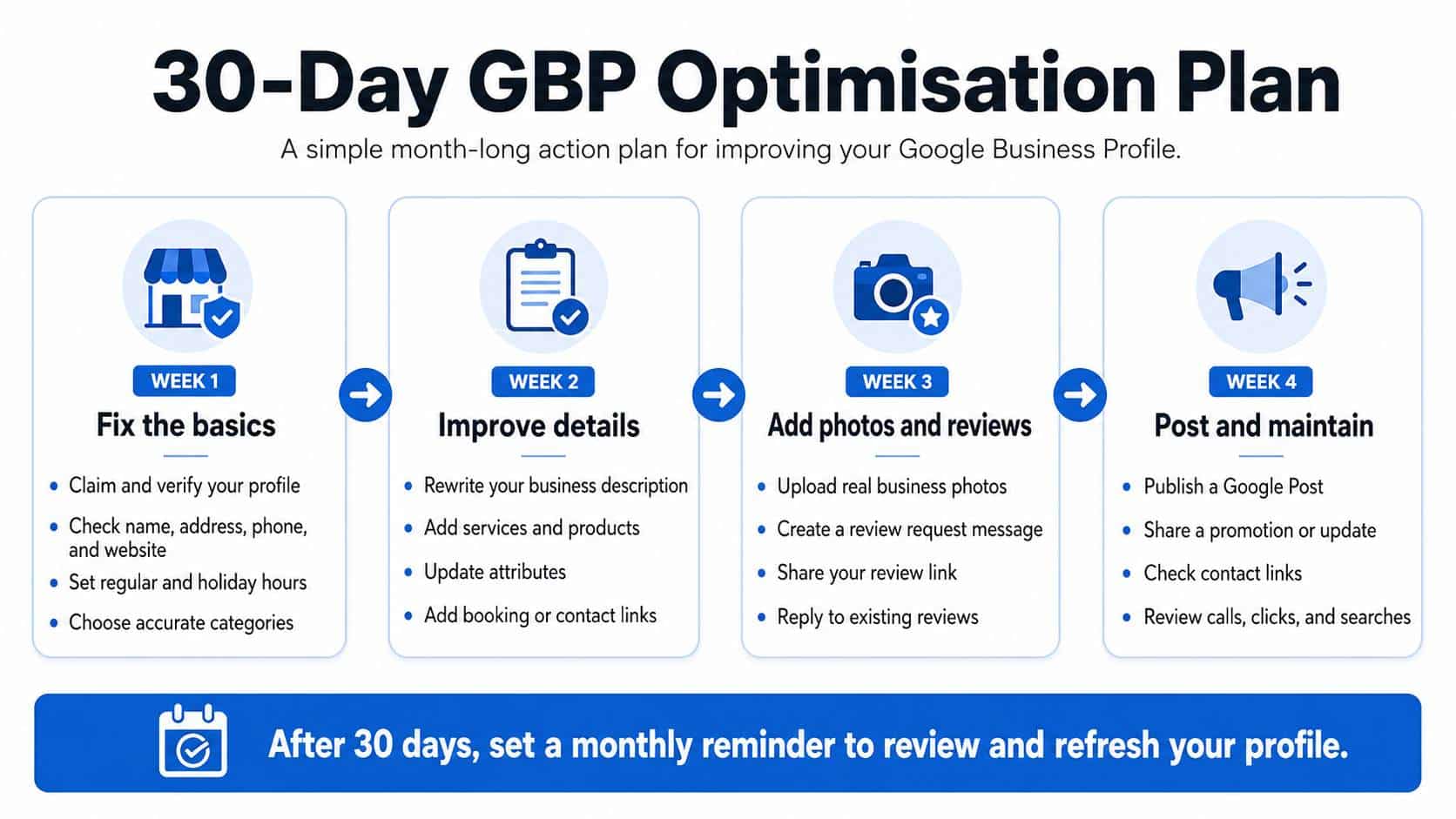
Week 1: Fix the Basics
- Claim and verify your profile
- Check profile ownership and manager access
- Confirm your business name
- Update your address or service area
- Check your phone number and website link
- Set regular and holiday hours
- Choose accurate categories
Week 2: Improve Business Details
- Rewrite your business description
- Add your main services
- Add products, packages, or menu items where relevant
- Update business attributes
- Add booking, menu, appointment, or contact links
- Check your map pin
Week 3: Improve Photos and Reviews
- Upload exterior, interior, team, product, or service photos
- Create a review request message
- Share your review link with recent customers
- Reply to existing reviews
Week 4: Keep the Profile Active
- Publish a Google Post
- Add a promotion, event, update, or announcement
- Check all contact links
- Review calls, clicks, direction requests, and search terms
- Set a monthly reminder to update the profile
Common Google Business Profile Mistakes to Avoid
Avoid these common mistakes:
- Using extra keywords in your business name
- Choosing categories that do not match your business
- Leaving old opening hours on the profile
- Keeping expired offers or outdated prices
- Ignoring customer reviews
- Uploading only stock photos
- Forgetting to update holiday hours
- Using broken website, booking, menu, or contact links
- Showing the wrong map pin or incomplete address
Small errors can create confusion for customers. Review your profile regularly so the information stays accurate.
Malaysia-Specific Practical Notes
For Malaysian SMEs, Google Business Profile often leads directly to calls, WhatsApp chats, booking forms, or walk-in visits.
Make the next step easy: use a phone number someone answers, add WhatsApp only if your team can respond consistently, keep links working, use clear service names, upload recognisable location photos, and update holiday hours before major festive periods.
If customers contact you through WhatsApp, forms, or booking links, ask only for the information you need and make follow-up expectations clear.
What Does Google Business Profile Optimisation Cost?
Creating and managing a Google Business Profile is free.
Businesses may choose to pay for support such as photography, copywriting, profile setup, profile management, review response support, product updates, service updates, or reporting.
The cost depends on how much support the business needs. A small business may only need help with setup, while a multi-location business may need regular profile management across several branches.
Keeping GBP Optimisation Simple
Google Business Profile optimisation does not need to be complicated.
Start by making sure your basic information is accurate. Then improve the sections customers actually use: categories, services, products, photos, posts, reviews, contact links, and opening hours.
For Malaysian SMEs, the goal is to make your profile clear, current, and easy to act on. When customers can quickly understand what you offer and contact you without friction, your profile becomes more useful as part of the customer journey.
If your business needs help with GBP plus optimizing for local SEO, Rankpage can help. As Malaysia’s most reliable SEO agency, we help businesses go about optimisation the right way, to boost visibility and capture attention. Don’t miss out, contact Rankpage today!